

Official Sweet Bonanza App: The Facts
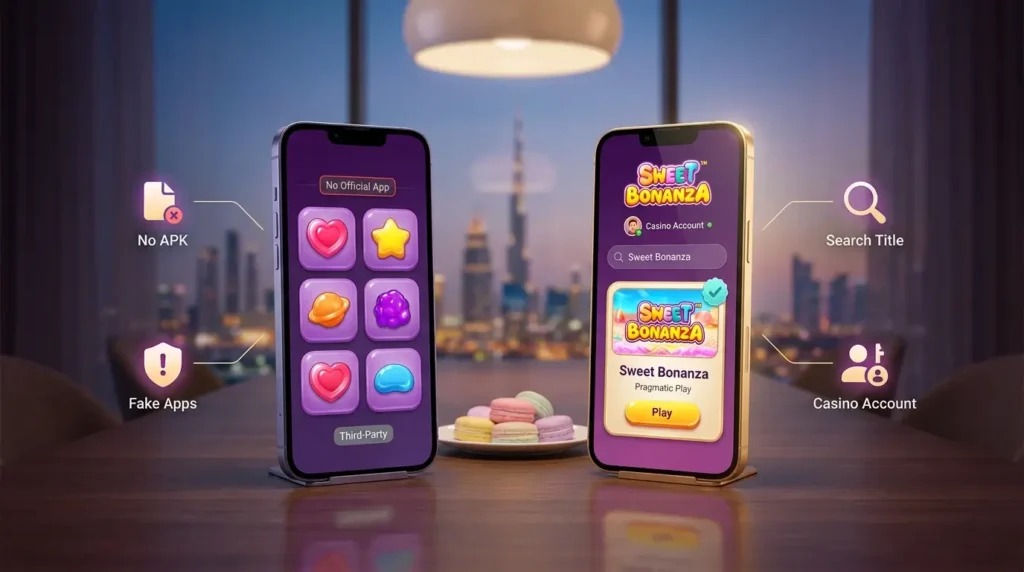
Two searches dominate the topic: “Sweet Bonanza app” and “Sweet Bonanza APK”. Both rest on the same idea — that the slot exists as a separate program to download and keep on the phone. It does not. Pragmatic Play supplies the game to casinos, not to app stores, and there is no branded client of its own. The Sweet Bonanza mobile app people search for simply is not a thing.
What appears in the stores? Mostly third-party “candy” games with similar colours and no real money involved, plus the occasional fake that borrows the name and the artwork. A few look convincing at first glance. None is the actual Sweet Bonanza slot app, and none connects to a casino balance.
The real game lives in one place: inside a casino account. Any Sweet Bonanza app download promise outside of that points to a different product, or something worse. One small check before settling on a mobile route: open the casino’s mobile catalogue and type the title in. The original should appear with Pragmatic Play on the tile and nothing like 1000 or Xmas stuck to the name. Found it? Then any of the routes below gets there.
Mobile Routes at a Glance
Three routes, one account. They differ mainly in setup and in what each asks of the device:
| Route | Setup | Requirements | Pros | Watch out for |
| Browser | Go to the official domain, log in | Any current mobile browser | No install, fine on pretty much any phone | A mistyped address — save the real one as a bookmark |
| Telegram web app | Look up the official bot and hit /start | Telegram, Android 8.0+ | Opens from a messenger already on the phone | Lookalike bots — no blue checkmark, no tap |
| TestFlight client | Download button on the official iOS client page | iPhone with iOS 14+ | Separate client with its own icon | Links from anywhere other than the official page |
Whichever route gets picked, the game itself behaves the same. The Sweet Bonanza mobile version is the very build that runs on desktop, Pragmatic Play’s own, with the RTP setting the operator chose, so convenience is the only real deciding factor. The browser asks the least: nothing to update, nothing saved on the phone beyond ordinary cookies. Telegram makes sense for anyone who has the messenger open half the day as it is. And the TestFlight client? iPhone-only, a bit more app-like, yet still the operator’s client and not some separate Sweet Bonanza game app. All three need a steady connection, every spin.
Android Without an APK
Android owners tend to look for an installable file first. Old habit. Here, though, nothing official exists to sideload, which actually makes life easier. Sweet Bonanza Android play goes through a current browser or the Telegram bot, and on Android 8.0 or newer the bot path looks like this:
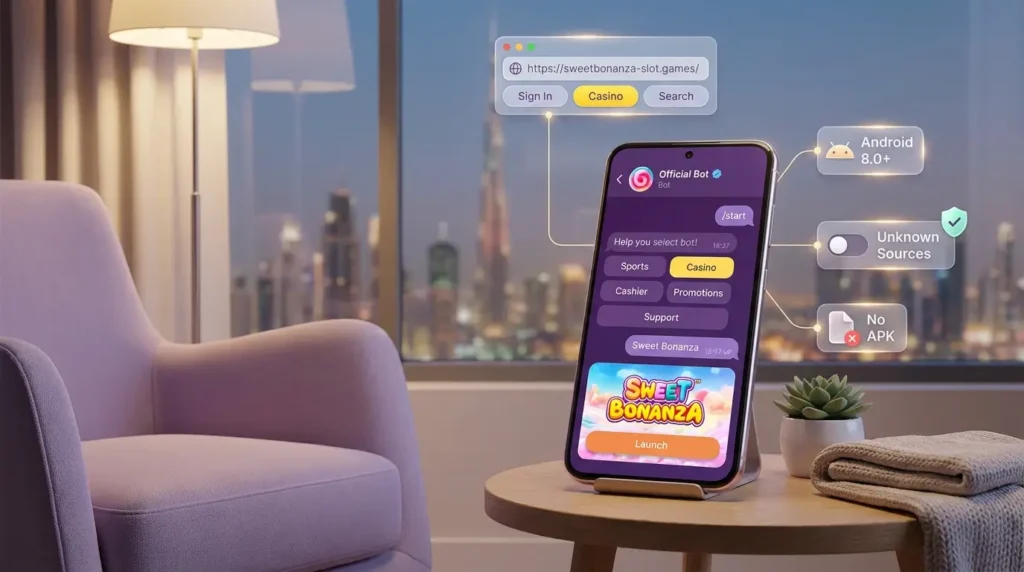
- Open Telegram and search for the operator’s official bot;
- Check for the blue checkmark next to its name before tapping anything;
- Press /start to bring up the menu;
- Sign in with the existing casino account;
- Pick Casino from the menu (Sports, Casino, Cashier, Promotions, Support);
- Search for Sweet Bonanza and launch it — the game opens as a Telegram web app.
The browser route is even shorter: official domain, sign in, Casino, search. That’s it.
One firm rule, though. Since no official APK exists, there is no reason to switch off Android’s protection against unknown sources, and no Sweet Bonanza download from a chat, a forum or a short link should ever land on the phone. Packages like that are exactly where account theft tends to start.
iPhone Setup Through TestFlight
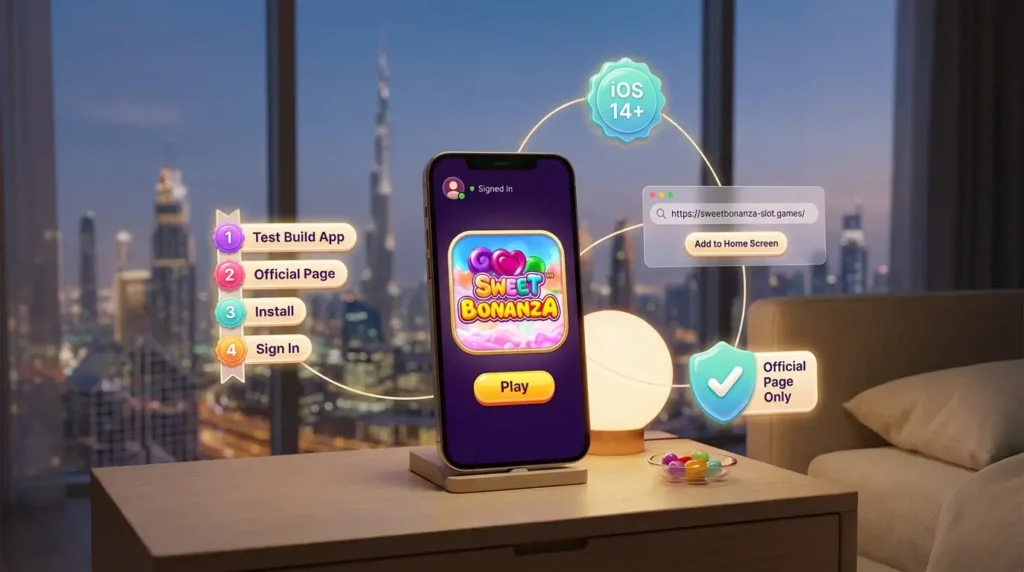
On Apple devices, the operator ships its client through TestFlight, Apple’s own app for distributing test builds. It needs iOS 14 or later, and setup takes a few minutes at most:
- Install TestFlight from the App Store;
- Open the operator’s official iOS client page and tap the download button there;
- Confirm with Install when TestFlight asks;
- Launch the client and sign in with the same casino account.
From there, Sweet Bonanza iPhone play is no different from the other routes… same balance, same history, same game. The TestFlight link should only ever come from that official page, never from a message or a group chat.
Rather not install anything? Safari handles it. Open the official domain, sign in, and the Sweet Bonanza iOS experience is practically the same. Add to Home Screen pins the site next to the other icons, which some players like. Just don’t mistake it for an app. It’s a Safari shortcut wearing an icon, and tapping it opens the ordinary site.
How the Candy Grid Feels on a Touchscreen
On a phone, the 6×5 grid works surprisingly well. Hold it upright and the full board fits with room to spare, so following a tumble chain as new symbols fall in takes no effort at all. Sideways is fine as well. Portrait just reads more naturally on a narrow display.
Controls are another story. Ante Bet, Buy Free Spins and autoplay have all moved house compared with desktop, and a few screens tuck them away behind a menu icon. A minute of poking around before the first real stake avoids head-scratching mid-session. It also answers a simple question: is Buy Free Spins even there on this account?
Worth remembering before a bonus buy: look at the signal first. Spending 100x the bet only to watch the bars drop to one in the middle of the round… not exactly a relaxing coffee break. Stick to Wi-Fi or a solid mobile network and the whole thing goes calmer.
Safety Rules for Mobile Players
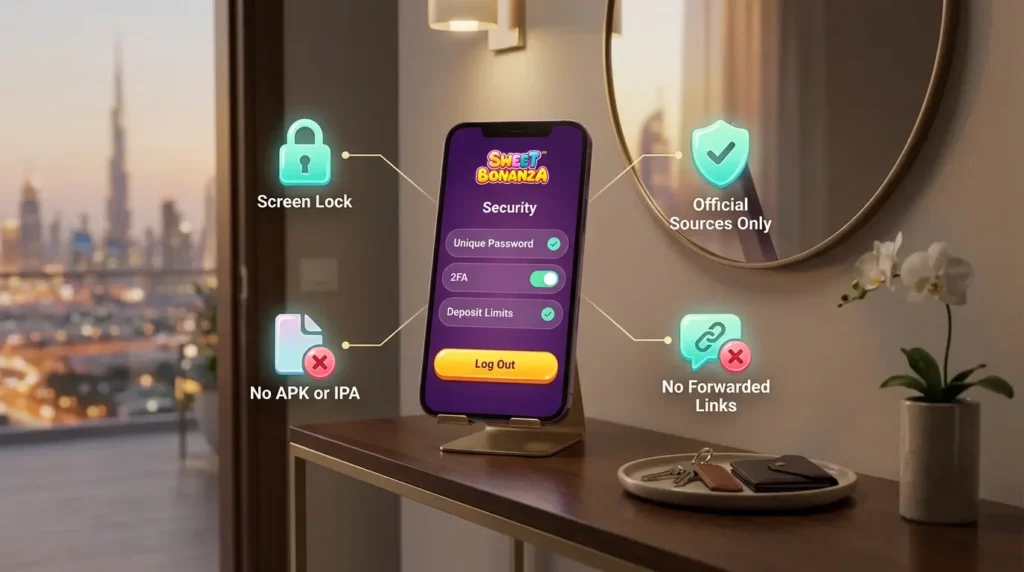
A phone gets left in a taxi, handed to a friend or passed around the table far more often than any laptop. A few habits keep the account safe on any route:
- use only the official domain, the verified bot and the client from the official iOS page;
- never install third-party APK or IPA files, whatever they promise;
- set a unique password and switch on 2FA;
- log out after playing on someone else’s device;
- set deposit limits in the account settings before the first session.
None of this takes long. Ten minutes tops, probably less. Lock the phone’s screen too — one extra layer, and a useful one if the device ends up forgotten somewhere. Fake apps and copycat bots are, sadly, part of the scenery around popular slots, and the Sweet Bonanza Telegram route gets imitated too. Not sure about a link? Head back to the casino’s official site and use the one posted there. Search results and forwarded messages don’t count.
Sweet Bonanza Mobile FAQ
Four quick answers for anyone planning to play Sweet Bonanza on phone.
Money staked for real can be lost, and that holds on a phone as much as anywhere. Each spin is settled by an RNG, no result is linked to the one before, and there’s no strategy that guarantees a win. Limits on deposits, losses and session time keep spending in line with the plan, while cool-off and self-exclusion are there on platforms that offer them. Adults only — 18+, or whatever higher age local law sets. Last quick heads-up: check the local laws on online entertainment in your jurisdiction before registering, depositing or playing.